Font Hero 2.5: import fonts from a folder
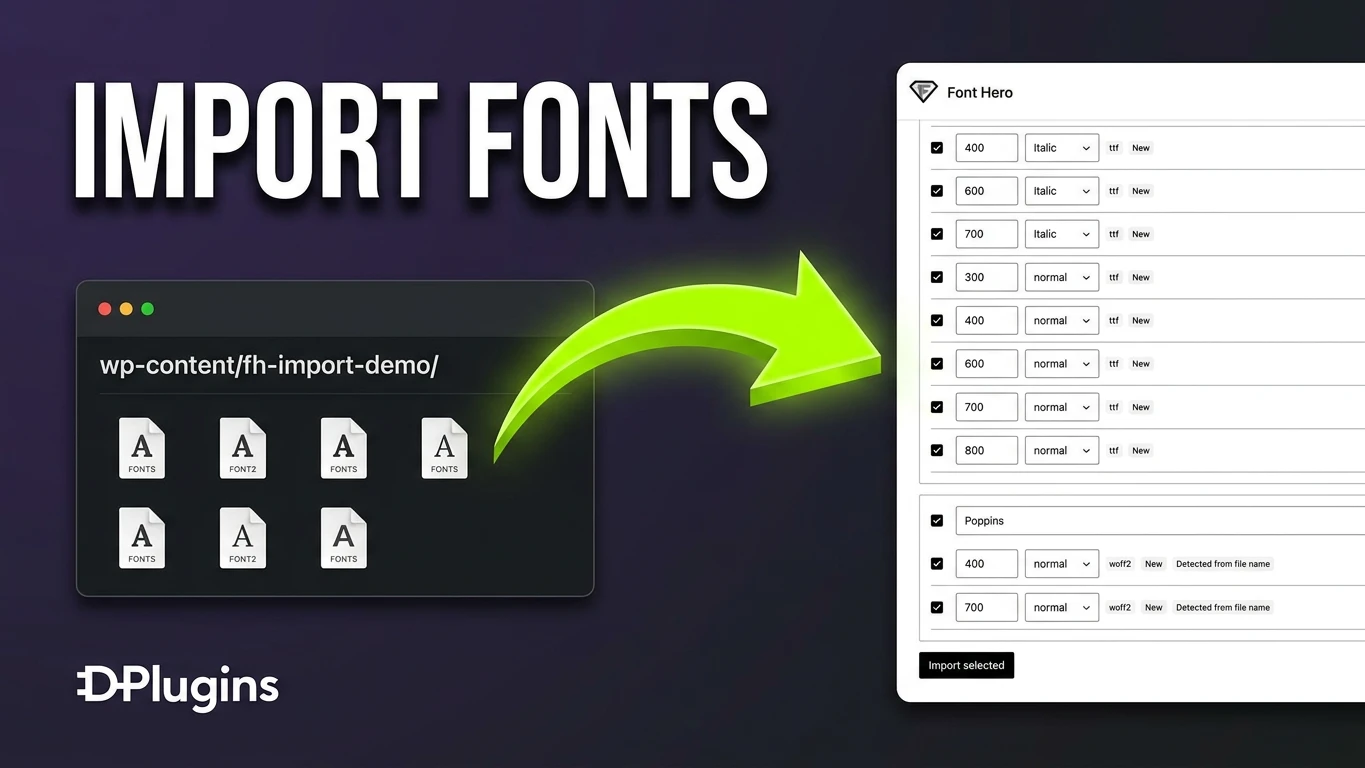
Font Hero 2.5 adds a way to bring in fonts you already have on your server, and fixes a Bricks bug that showed the wrong font name on the frontend.
Import fonts from a folder
Uploaded a font folder by FTP, or got fonts with a theme? Open Font Hero > Folder import, enter the folder path and click Scan.
Font Hero finds every .woff2, .woff, .ttf and .otf file, and shows the families, weights and styles it detected, including variable fonts and their weight range.
Pick what you want, fix a name or weight if needed, and click Import selected.
The files stay where they are. Font Hero does not copy or move them.
Rescan and keep it in sync
Replace a file, rename it, or add a new weight to the folder, then scan again. Font Hero marks each face as New, Up to date, File changed or Moved, and updates the changed ones in place, so fonts you already use keep working.
If a font file is gone, it shows up under Files no longer found. You can remove those faces right from the import screen, so you do not end up with font families that have no files.
Rescan imported folders checks every folder you imported from in one click.
Fixes
- Bricks: the frontend no longer shows the title of an unrelated page or post as the font-family. Existing font settings are converted automatically, and multisite is supported.
Update
Go to Dashboard → Updates, or download 2.5.0 from your account: Font Hero.