Tailwind CSS in Oxygen Builder with Winden: Series Scope and Setup
Before a tutorial series gets going, it helps to know what it will teach and what it won't, so you don't sit through 20 videos waiting for the part you need. This short video sets the scope for our Tailwind CSS in Oxygen Builder series with Winden. It covers the plugins we use and the way we write Tailwind classes quickly before moving them into Oxygen.
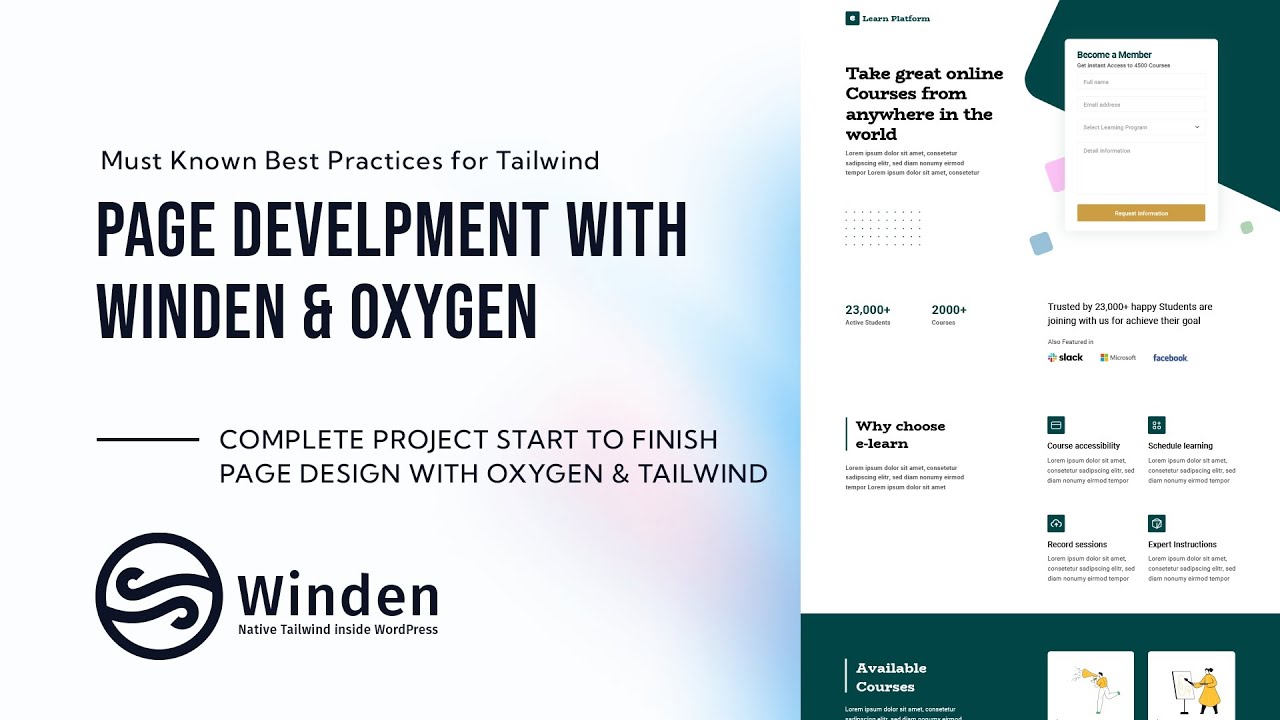
The design we build in the series is an eLearning landing page ("Learn Platform"). It has a hero with a Become a Member form, stats, logos and a "Why choose e-learn" feature grid.
What the series covers (and what it skips)
It's easy to confuse Tailwind skills with Oxygen skills, and they don't transfer the same way. We keep the series focused on Tailwind CSS.
Out of scope: building Oxygen templates. That part is specific to Oxygen, not Tailwind, so we leave it out.
In scope:
- Styling a form. We use Fluent Forms, but the same approach works with other form plugins. It also works for any element you can't reach from Oxygen's structure panel. That matters because third-party forms usually render markup Oxygen doesn't let you style directly.
- Adding a custom font. We change the Tailwind configuration to add custom fonts and use Swiss Knife to upload the font files, because right now that's the easiest way. More detailed font tutorials will follow later.
Plugins used in the series
We show the setup on the Plugins screen of the test site. This is what each plugin does in the series:
- Oxygen: the builder.
- Winden: compiles Tailwind CSS for the site.
- Swiss Knife Pro: uploads fonts and pastes HTML into Oxygen (see below).
- Scripts Organizer: used in the series to expose the local website and connect it so Tailwind can compile.
- Fluent Forms: the form we style. You don't need it if you use a different form plugin.
- Plain Classes: optional. We use it because it makes writing several classes at once easier.
- WP Admin Cleaner: not needed. We only use it to keep our WordPress admin tidy.
A faster way to write Tailwind classes for Oxygen
Oxygen has class autocomplete, but adding elements one by one and typing classes into each is slow. We write the markup in Tailwind Play (play.tailwindcss.com) instead, where you get full Tailwind autocomplete and can edit multiple lines at once.
- Open Tailwind Play and type Emmet-style shorthand, for example
div.bg-. The autocomplete lists every matching Tailwind class (bg-slate-50,bg-slate-100…). - Build the markup. Multi-cursor editing lets you change several lines together. In the video we make eight rows like this:
<div class="bg-slate-400"><h2>This is just a test</h2></div>
<div class="bg-slate-400"><h2>This is just a test</h2></div>
<div class="bg-slate-600"><h2>This is just a test</h2></div>
- Copy the code, open the Oxygen editor and paste it with Swiss Knife. Oxygen elements are created with the classes already applied.
- Need a change? Go back to Tailwind Play, edit all the lines at once, then copy and paste again. Here we add
text-whiteto every heading:
<div class="bg-slate-400"><h2 class="text-white">This is just a test</h2></div>
That's much faster than building each Div and Heading by hand in Oxygen. If you'd rather work manually, you can still follow along: add a Div, add a Heading, set it to h2, enter the text, and add classes with Plain Classes or by typing them. We use the Tailwind Play approach throughout the series.
Who is this for
- Oxygen Builder users who want to style sites with Tailwind CSS through Winden and need to know what the series covers before they start.
- Site builders who have to style form plugins like Fluent Forms, or other elements Oxygen's panel can't reach.
- Anyone tired of creating Oxygen elements one at a time who wants to draft markup with full Tailwind autocomplete and paste it in.
FAQ
Does this series teach how to build Oxygen templates? No. Template building is specific to Oxygen, not Tailwind, so it's out of scope. The series focuses on styling with Tailwind CSS.
Do I need Fluent Forms to follow along? No. We use Fluent Forms as the example, but the same approach works with other form plugins and with any element you can't access from Oxygen's structure panel.
Is Plain Classes required? No. It's optional. We use it because it makes writing several classes at once easier.
Why write Tailwind classes in Tailwind Play instead of Oxygen? Tailwind Play gives you full Tailwind autocomplete and multi-line editing. You write the HTML there, copy it, and paste it into Oxygen with Swiss Knife, which is faster than creating each element by hand.
How are custom fonts handled? We add them to the Tailwind configuration and upload the font files with Swiss Knife.
Get Winden → dplugins.com