Swiss Knife 1.2.0: Scripts Manager and Import Classes for Oxygen
Adding a library like GSAP to an Oxygen Builder site usually means installing another plugin or writing enqueue code in a theme you don't use. Using a CSS framework's classes in Oxygen is a similar problem: the builder doesn't know about them, so you get no autocomplete. Swiss Knife 1.2.0 adds a Scripts Manager that enqueues or registers scripts and styles from the WordPress admin, and Import Classes, which adds a framework's classes to Oxygen in one click. The result is fewer plugins and faster class work in the builder.
Scripts Manager: enqueue or register scripts and styles
Most Oxygen sites end up with at least one extra JavaScript or CSS file, such as an animation library, a slider or a small stylesheet. Without a dedicated tool you add a plugin for each one or write PHP by hand. Scripts Manager does this from one screen.
You'll find it under SwissKnife → Scripts Manager in the WordPress admin. Click + Add New Script and fill in these fields:
- Script Name: a handle for the file, for example
gsap. - Script Type: JavaScript or a stylesheet.
- Location: where the file loads, for example Footer.
- Include Type: Enqueue to load the file everywhere, or Register to load it only when you ask for it (more on this below).
- Frontend Only: turn this on to keep the file out of the builder and admin.
- Upload File or Paste CDN Link: upload the file or paste a CDN URL.
- Click Save.
In the video, a GSAP animation (gsap.from(".stagger", …)) runs from an Oxygen Code Block, and the GSAP library itself is loaded through Scripts Manager.
Safe script and style uploads
By default, WordPress blocks .js uploads for security reasons. That rule protects your site, but it also stops you from self-hosting a library. In the video, uploading gsap.js through the normal media library gives the error "Sorry, this file type is not permitted for security reasons."
Swiss Knife doesn't remove that protection for good. Script and style uploads are allowed only when you want them, so you can upload the file from the Scripts Manager field without leaving JS uploads open all the time. Once it's uploaded, the field holds the file's URL in your uploads folder.
Register: load a script only where you need it
If you enqueue a library on every page, visitors download it even on pages that never use it. With Include Type set to Register, the file is registered but doesn't load until you call it.
Under Script Name, Swiss Knife shows the matching call with a Click to copy button. For the gsap handle, that call is:
wp_enqueue_script('gsap');
Copy it and use it only where the script is needed. The library then loads on those pages and nowhere else.
Import Classes from your favorite framework
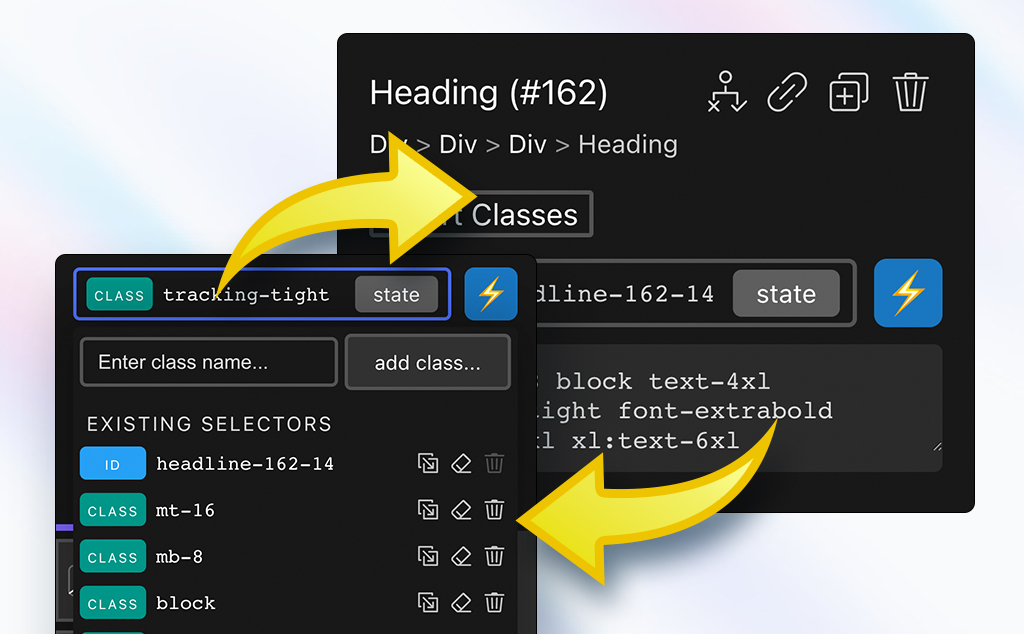
Oxygen only autocompletes classes it knows about. If you use a framework like Bootstrap, you'd have to recreate its classes as selectors by hand. Import Classes adds them for you in one click.
In the video, Bootstrap's classes are imported and show up in Oxygen's Selectors panel as their own folder called bootstrap, with classes like .alert, .badge, .btn, .btn-group and .bg-primary. Now you can add them to elements with autocomplete. Each folder has a Disable Folder button, so you can turn a framework's classes off when you don't need them.
If a full framework is too heavy for you, the release notes also mention setting up your agency's own naming convention and reusing it on every project.
Code editor themes
You may spend a lot of time in the code editor, so this release adds several editor color themes. The video switches between a few of them on the same sample code, so you can choose the one that's easiest for you to read.
Who is this for
- Oxygen Builder users who add libraries like GSAP and want fewer single-purpose plugins.
- Developers who want scripts loaded only on the pages that use them, through Register.
- Site builders who work with Bootstrap-style class frameworks and want autocomplete in Oxygen.
- Agencies that want to keep one naming convention across client projects.
FAQ
How do I add a JavaScript library to Oxygen Builder without another plugin? Open SwissKnife → Scripts Manager, add a new script, choose JavaScript as the Script Type, pick a Location, then upload the file or paste a CDN link and save.
What is the difference between Enqueue and Register in Scripts Manager?
Enqueue loads the file on your site right away. Register makes the file available but doesn't load it until you call wp_enqueue_script('handle'), which Swiss Knife lets you copy with one click.
Why does WordPress say a .js file type is not permitted? WordPress blocks JavaScript uploads for security reasons. Swiss Knife allows script and style uploads only when you choose to, so the protection stays in place the rest of the time.
Can I use Bootstrap classes in Oxygen Builder? Yes. Import Classes adds a framework's classes to Oxygen's Selectors panel as a folder, so they autocomplete. You can disable the folder whenever you want.
Get Swiss Knife → dplugins.com