DevKit 3.2: pCloud installs, hidden backups and a sturdier Sync
DevKit 3.2 adds plugin installs from pCloud, moves backups somewhere nobody can guess, and makes Sync harder to break.
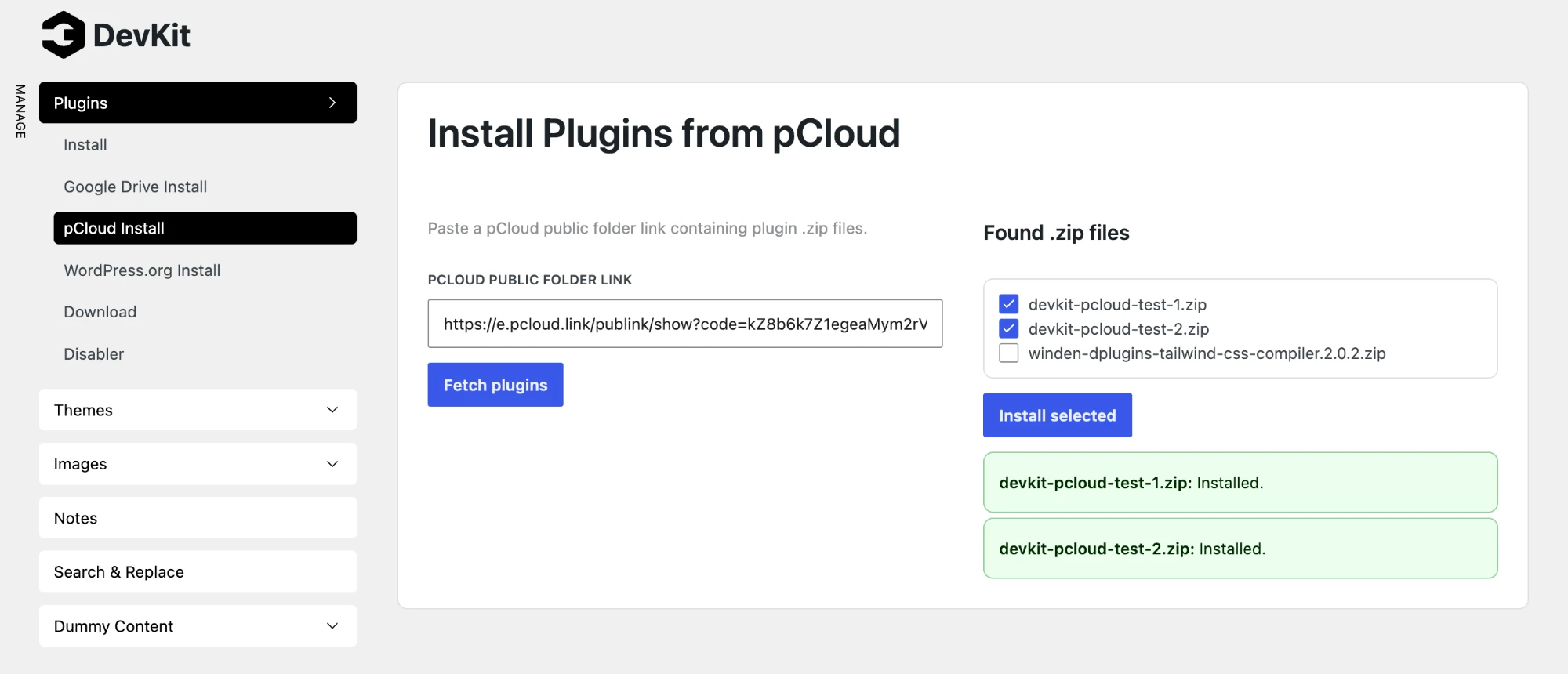
Install plugins from pCloud
Keep your plugin zips in a pCloud folder and install them on any site in a few clicks.
- Go to DevKit → Plugins → pCloud Install and paste the folder's public link.
- Click Fetch plugins. DevKit lists every .zip file in the folder.
- Tick the ones you want and click Install selected. Each file gets its own result, so you see right away what installed.
No API key and no pCloud login on the site. US and EU pCloud accounts both work. DevKit only downloads from pCloud itself, and only the .zip files the link lists.
Backups you can't guess
Backups and sync working files now live in a randomly named folder, outside the web root wherever the server allows it. Every file name carries a random suffix too, so a backup can't be found by guessing its URL. Existing backups are moved there on the first page load after the update; nothing to do on your side.
If your server still serves the backups folder directly, the Backup page tells you, so you can close it or move backups with DPDEV_BACKUPS in wp-config.php.
Sturdier Sync
A plugin that crashes on every request can no longer stop a running sync. Stepping, cancelling and rolling back a sync now load only DevKit, so a broken plugin on either site can't get in the way.
Fixes
- Plugins → Install and Themes → Install take several .zip files at once again. Since 3.0 only the first dropped or picked file was installed.
- The backup list shows the backup's name only, not three lines of folder path.
- Google Drive Install says "No .zip files in this folder." for an empty folder, and shows Drive's own message when Drive refuses.
- Restore refuses a backup path outside the backups folder.
Update
Go to Dashboard → Updates, or download 3.2 from your account. New to DevKit? See DevKit →